
Unbounce + Leverly · Native integration since 2010
Your Unbounce page converted the visitor.
Leverly gets them on the phone with your team.
If you just discovered Leverly inside Unbounce, here's the short version: the moment a form is submitted, Leverly calls your team — your rep presses 1 and is talking to the lead, often before they've left your page. When your team can't answer, Leverly AI calls the lead instead, so no form fill goes cold.
From landing page conversion to sales conversation
measured in seconds, not hoursWhat you'll need
Three things before you start. Setup itself takes about five minutes.
A Leverly account and your Leverly account ID.Don't know your ID? Email hello@leverly.com.
Your call routing set up in Leverly.Questions about routing? Same address.
An Unbounce page with a phone number as a required form field.That's the number Leverly calls.
Set it up
Five steps inside Unbounce. No code, nothing to install.
Open Integrations in Unbounce
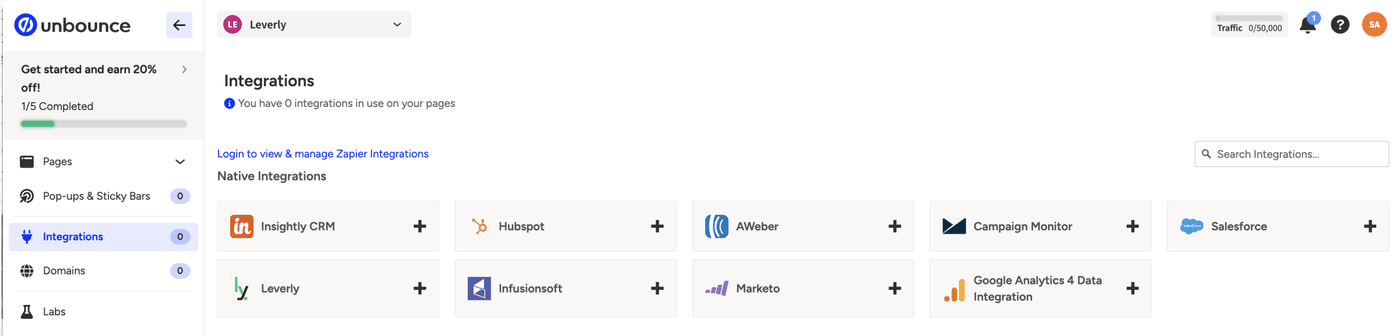
Log in to Unbounce and go to Integrations in the left menu.
Click the + on the Leverly tile
You'll find it under Native Integrations.
Choose your landing page
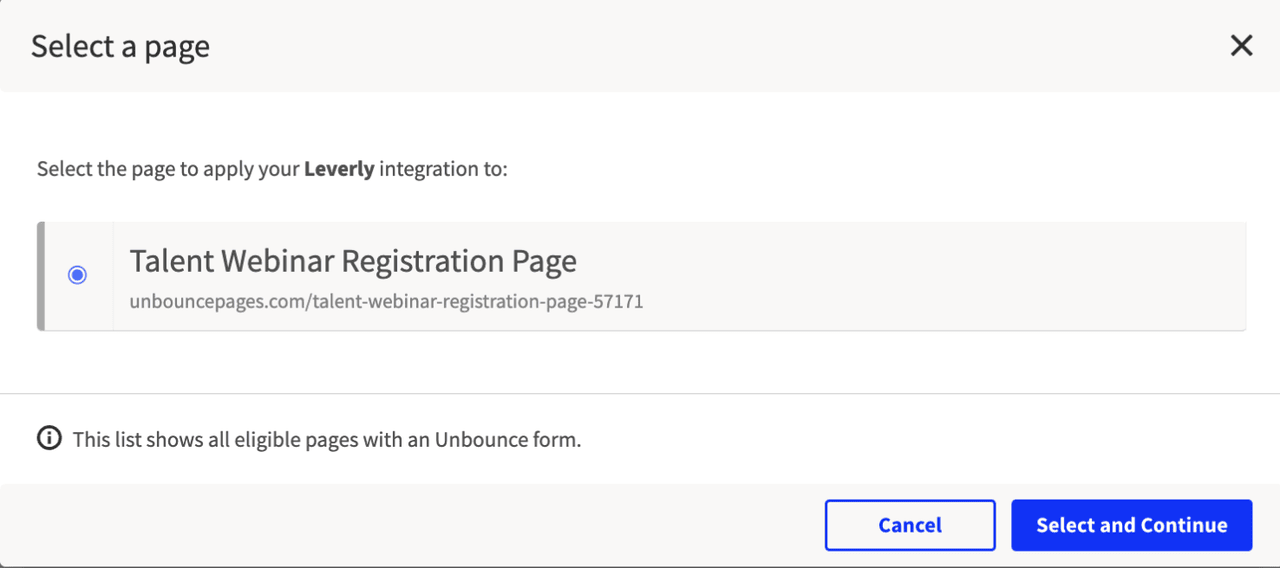
In the Select a page window, pick the page you want to connect, then click Select and Continue.
You can also start from any page's Integrations tab — same steps.
Enter your posting URL
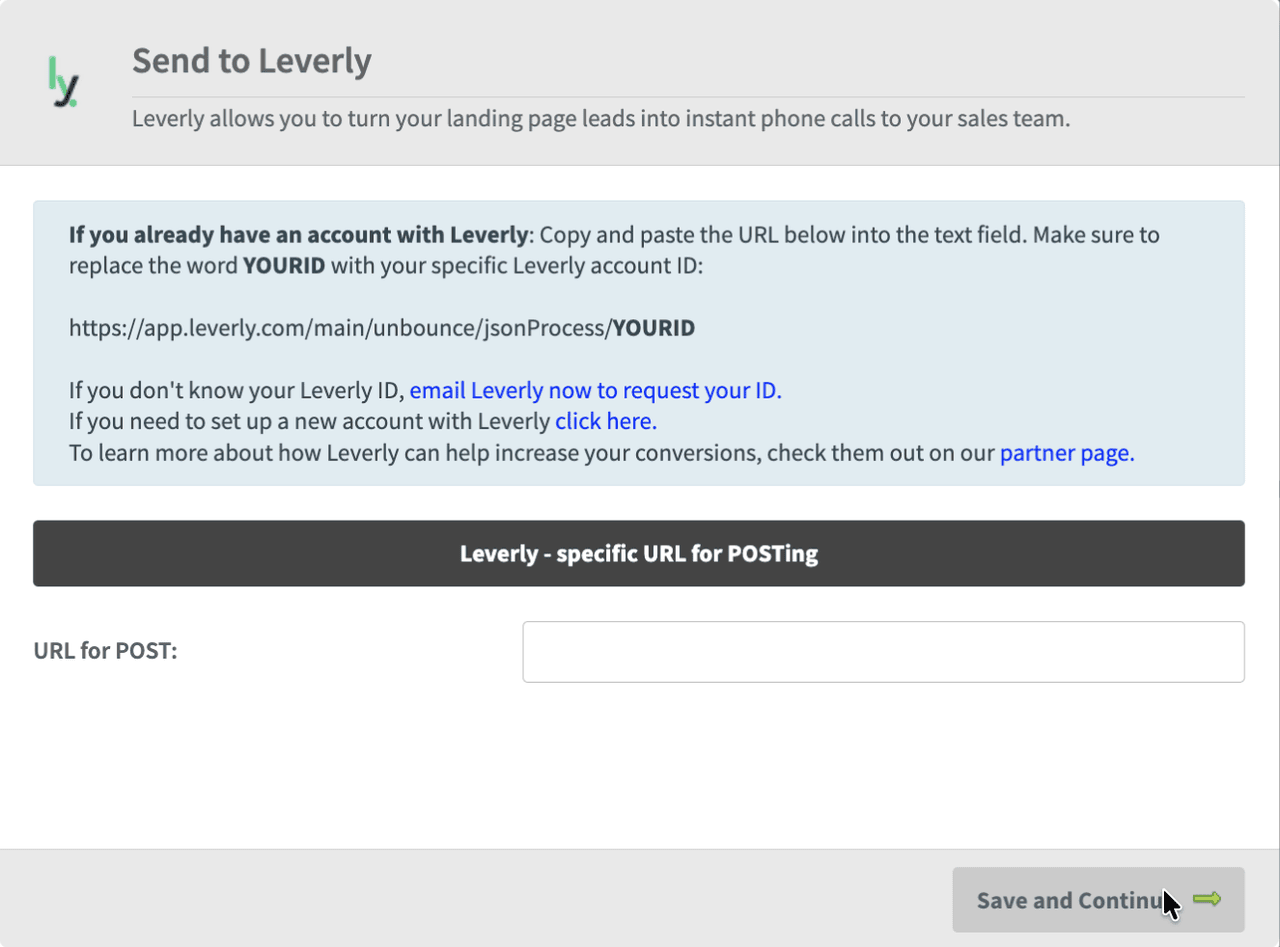
In the Send to Leverly window, paste your posting URL into the URL for POST field. Replace YOURID with your Leverly account ID, and include the full https:// — Unbounce rejects the URL without it.
Save and Continue — you're connected
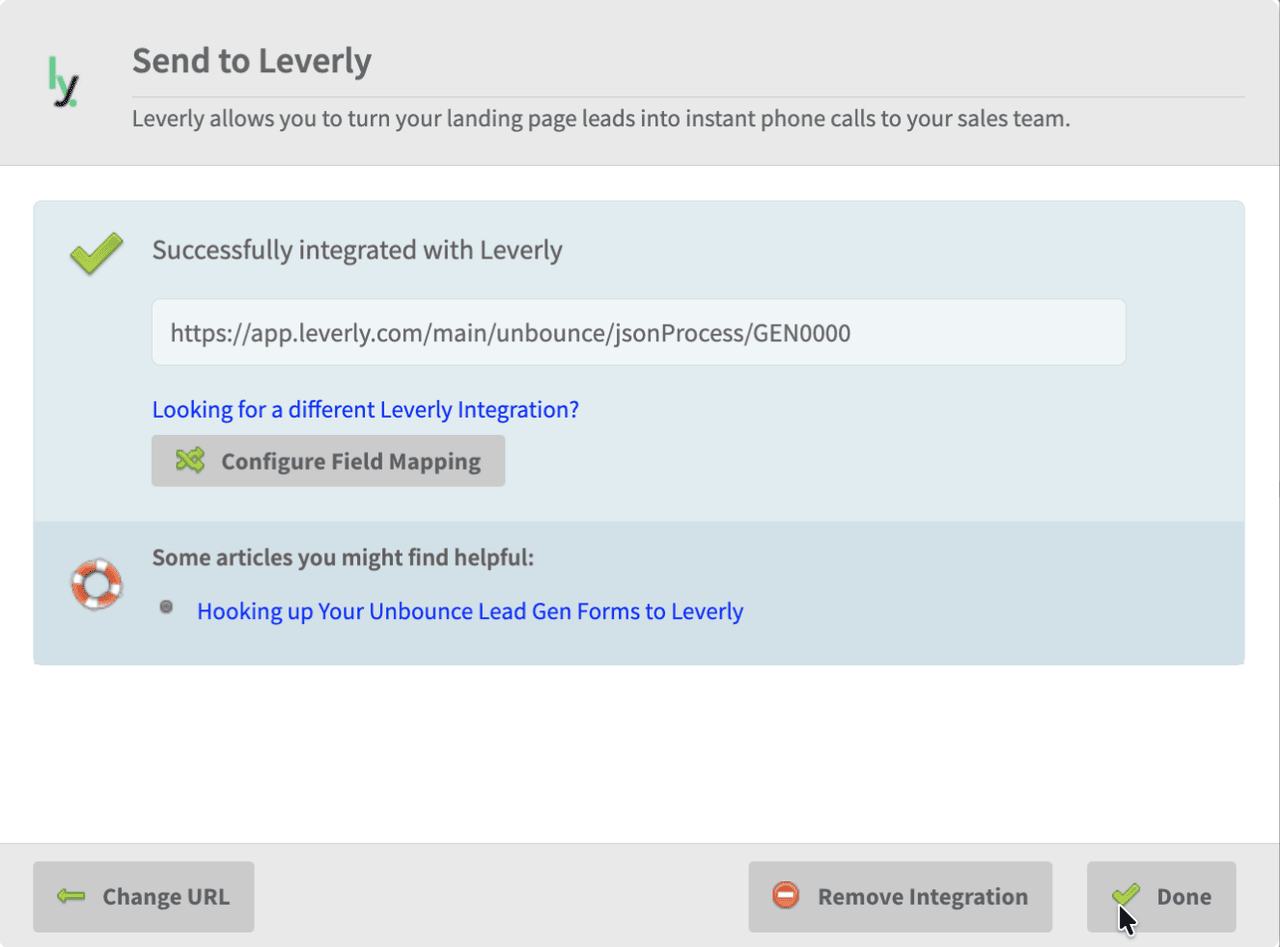
When you see Successfully integrated with Leverly, the connection is live.
Test it
Submit a test lead through your landing page with your own phone number. Within seconds your phone should ring, announce the lead details, and offer to connect. If it does, you're live.
Pop-ups & sticky bars
The integration works the same way with Unbounce pop-ups and sticky bars — any form with a required phone number field can trigger a call.
Troubleshooting
The posting URL must start with https:// — paste the full URL, no trailing spaces.
Confirm you replaced YOURID with your actual Leverly account ID and that the phone number field is required on your form.
Revisit Configure Field Mapping in the integration window.
Email hello@leverly.com and we'll look at it with you.
Not a Leverly client yet?
Most form fills never become conversations. Demo it on your own phone — then see what it costs.
Enter your number and Leverly calls you in seconds. One real call. No spam. No sales pitch.
See pricing